Built for real student weeks

The AI student planner that turns school chaos into a clear week.

Import a class schedule or syllabus, fit study around work, and see deadlines, commutes, shared plans, and money in one place.

  • Free to start
  • No account required on mobile
  • Private by default
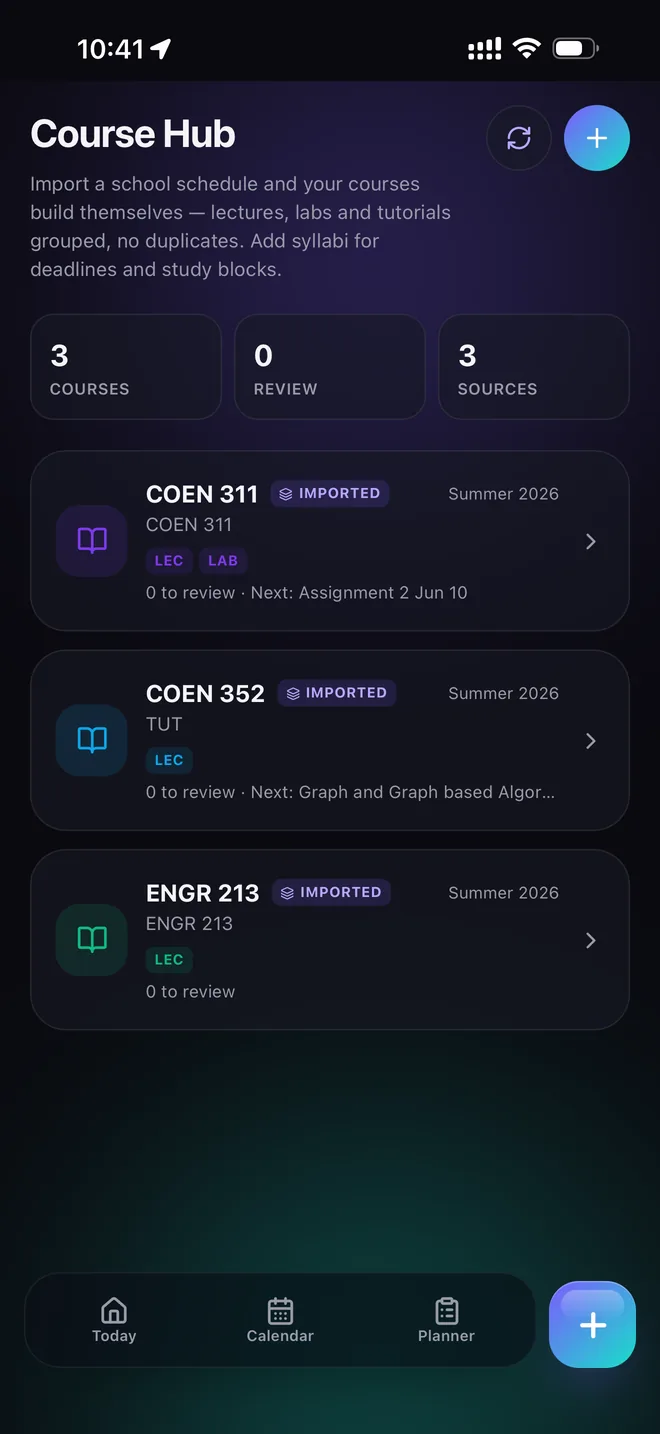
Fasti Course Hub organizing imported classes, labs, assignments and exams.
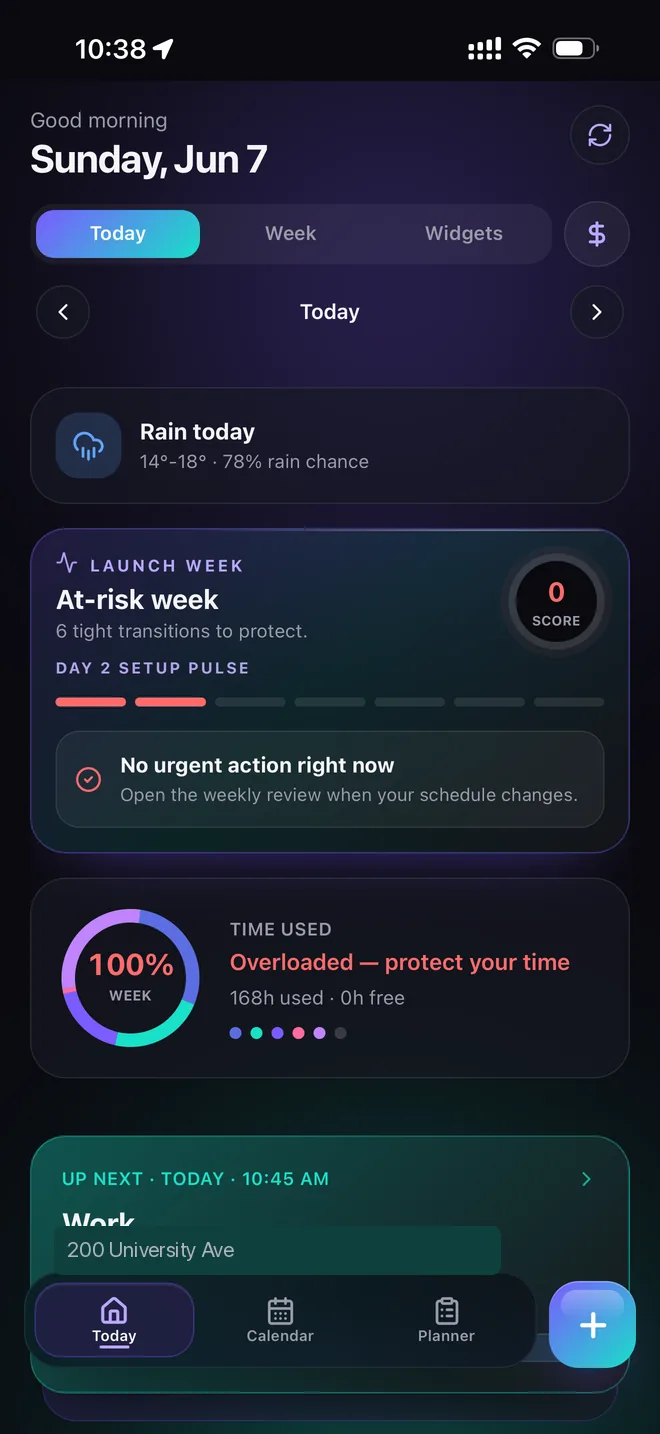
Fasti Today dashboard showing a student's schedule, weekly load and next action.
Import instead of retypingPhotos, PDFs, syllabi, and pasted text become editable plans.
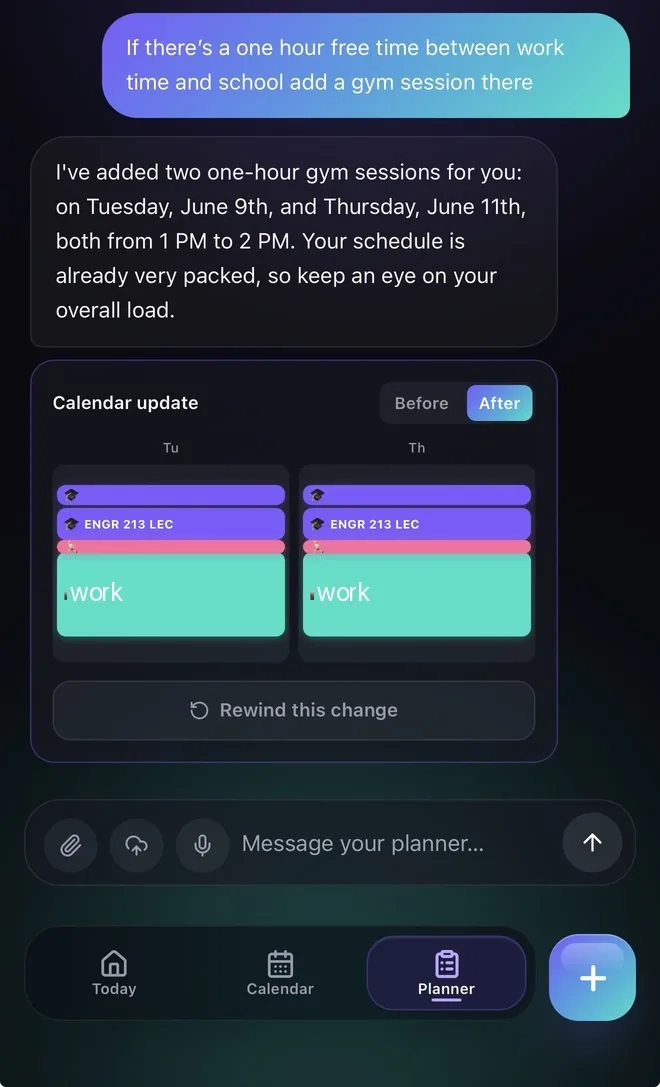
Review every AI changeNothing moves until you approve the preview.
Share only what you chooseYour private calendar stays private.
Phone and desktopKeep the same week with you across devices.

Explore Fasti

One week. Every moving part.

Fasti connects the pieces students usually manage in separate apps. Explore the screens that turn a messy semester into a plan you can actually follow.

Your day, already sorted

Open the app and know what deserves your attention.

Fasti combines your next class or shift with weekly pressure, commute context, time used, and the action that will make the day easier.

  • See conflicts before they become emergencies.
  • Confirm the day in seconds.
  • Keep workload and free time visible.
Fasti Today screen with weekly pressure, next event and planning actions.

From chaos to calendar

Set up the semester without sacrificing the weekend.

Fasti does the repetitive work quickly, then gives you the final say. Your schedule stays editable, understandable, and yours.

01

Bring what you already have

Upload the timetable, syllabus, roster, screenshot, or notes. Add a sentence telling Fasti what you want from it.

02

Review the organized plan

Check dates, recurrences, course groups, and conflicts in a preview designed for quick correction.

03

Live from one clear week

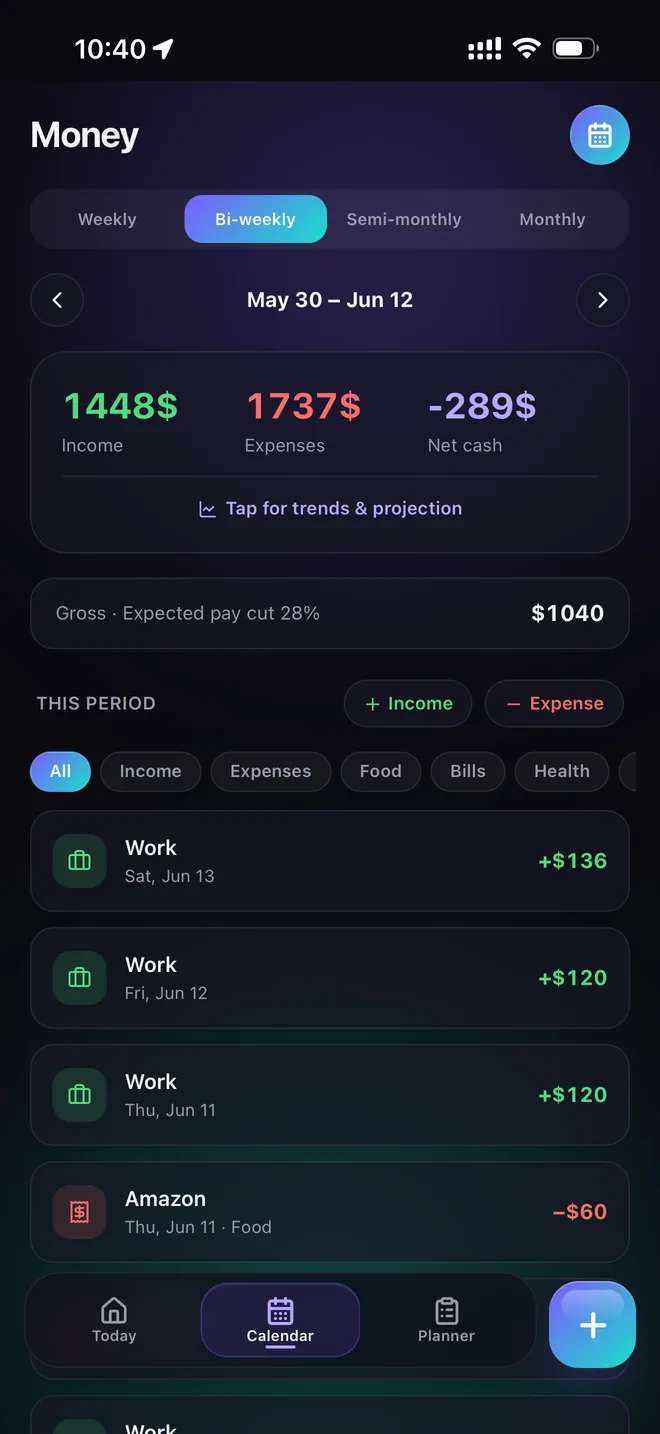
Use Today, Planner, sharing, commute, weather, and money views as the semester changes.

Private shared planning

Make plans together without handing over your whole life.

Coordinate a study group, roommate schedule, team, family plan, or date while keeping unrelated events, conflicts, and private details out of view.

01
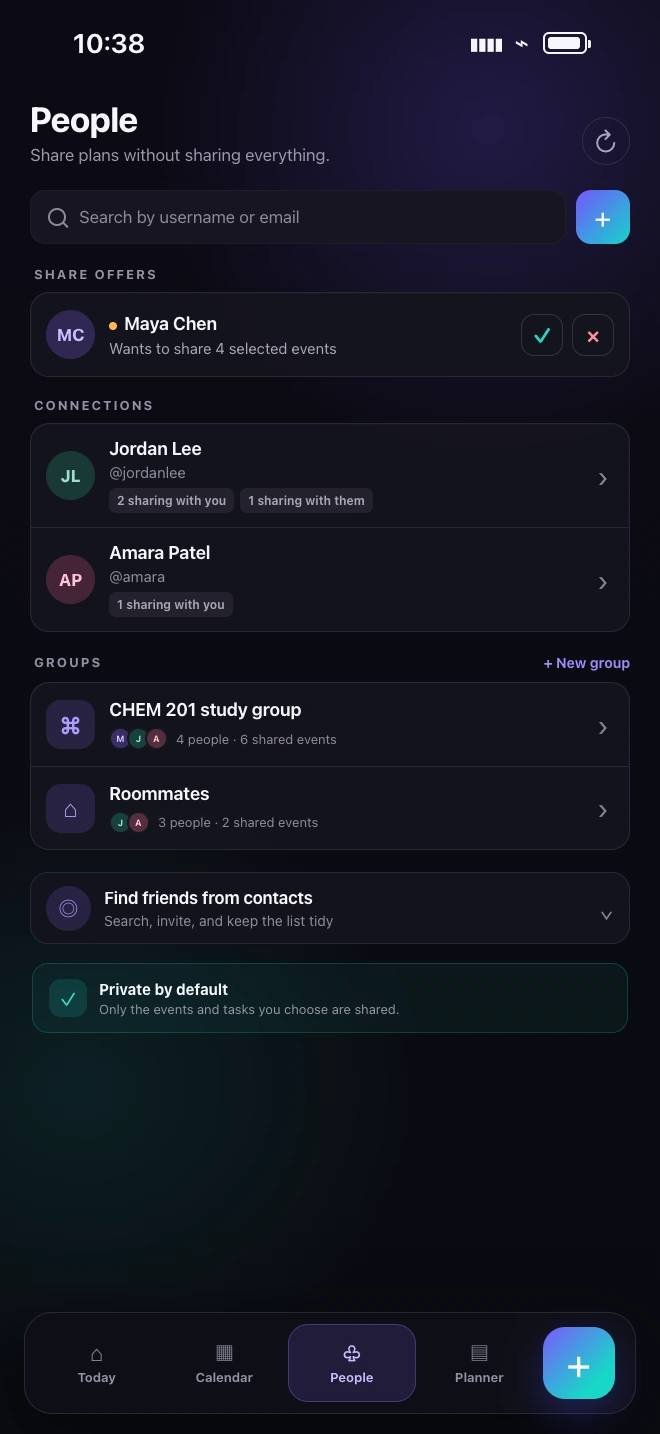
Choose the exact scopeShare selected events, a course, category, import group, or date range.
02
Decide what collaborators can doView, propose edits, manage tasks, or leave the share without affecting private data.
03
Approve changes firstAccepted proposals update the shared plan; rejected ones leave it untouched.
Explore shared planning
Fasti People hub showing a selected-event share offer, reciprocal connections, groups, and privacy controls.
Nothing changes silently.Propose, review, accept, and keep a clear history.
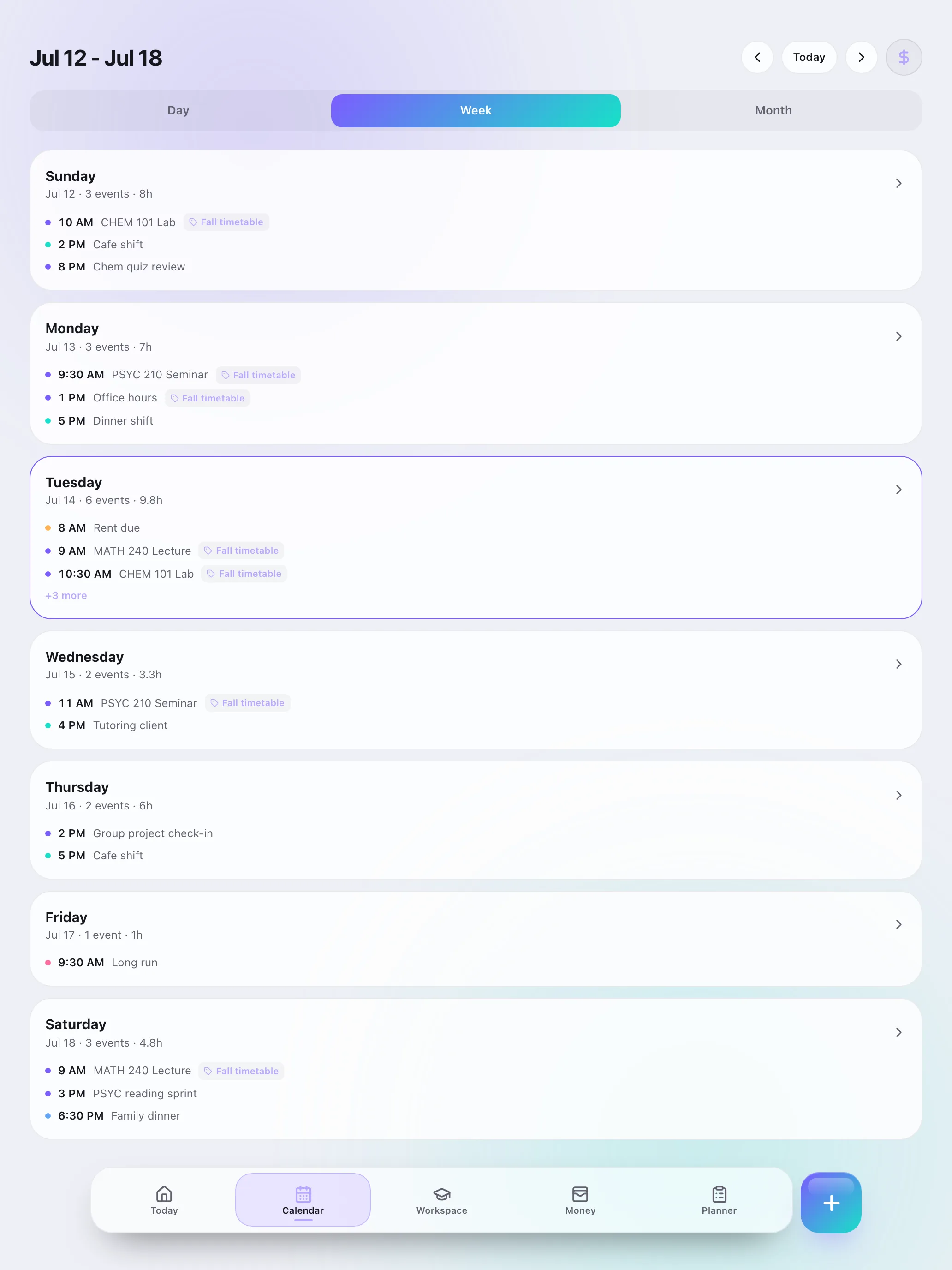
Fasti web app displaying a complete student week on desktop.

Fasti on desktop

See the whole week without the thumb workout.

Review a whole week, edit course work, manage shared plans, and continue Planner conversations from your browser. Changes sync back to your phone in real time.

Open the web app

Available to signed-in Pro members with cloud sync.

Simple pricing

Start free. Upgrade when Fasti earns its place in your week.

The free plan is useful on its own. Paid plans add more imports, Planner requests, sync, money tools, and advanced planning.

Free

Get organized

CA$0

Free forever

  • Up to 30 events and recurring blocks
  • 2 schedule imports each month
  • Weather, check-ins, and weekly review
Start free

Power planning

Pro

CA$13.99 / month

or CA$119.99 / year

  • Everything in Plus
  • 30 imports each month
  • 300 Planner requests monthly
  • Exam game plans and desktop web access
Explore Pro in the app

Prices are in Canadian dollars and may vary by region. The app shows the billed amount, any eligible introductory offer, renewal date, and cancellation terms before purchase. Subscriptions renew unless cancelled before the renewal date.

Good to know

Questions before you start.

Can Fasti import my class schedule or syllabus?

Yes. Fasti can read screenshots, photos, PDFs, and pasted text for schedules, syllabi, assignments, exams, and shifts, then turn them into editable calendar events.

Do I need an account?

No for the mobile app. Cloud backup and the desktop web app require sign-in so your plan and subscription can sync securely.

Can I share my schedule without sharing everything?

Yes. Choose specific events, courses, categories, import groups, or date ranges. Shared changes can require approval, and unrelated private information stays out of the share.

Is Fasti private?

Your schedule lives on your device by default. Imports are processed to extract events and then discarded. Fasti does not sell your personal data or use it for cross-app advertising. Read the Privacy Policy.

How do subscriptions work?

The purchase screen shows the billed amount, renewal date, and any eligible trial before you subscribe. Manage or cancel through App Store or Google Play settings.

Make next week easier before it starts.

Download Fasti free, import what you already have, and turn it into one clear plan.